// Game Development
Making Fallout 1 and 2 Work Naturally With a Controller
How a request to play classic Fallout from a controller became native movement, camera control, remapping, a custom interface, and two tested Windows builds.
I wanted to play Fallout and Fallout 2 with a controller.
Not by balancing a mouse on the couch. Not through a controller profile that turns every button into a keyboard key. I wanted the games to understand the controller themselves and still behave like Fallout.
That distinction took the project from a quick input-mapping idea to modifications across two open-source game engines.
The problem behind the request
The original Fallout games assume a mouse is always nearby. Movement, inventory, conversations, targeting, skills, and small interface controls all depend on pointing and clicking. A controller can imitate that mouse, but imitation does not automatically produce a comfortable game.
I started with the two Community Edition projects maintained by Alex Batalov. They recreate the Fallout 1 and Fallout 2 engines from source while relying on game data supplied by someone who owns the originals. That gave me a responsible base for the work: change how the engines handle input, but do not redistribute the games themselves.
I used Codex as the implementation partner. I set the goal, played the builds, evaluated how each pass behaved, and kept refining the experience. Codex worked through the C++ and SDL integration, builds, tests, packaging, and the less glamorous problems that appear when an old game meets modern hardware.
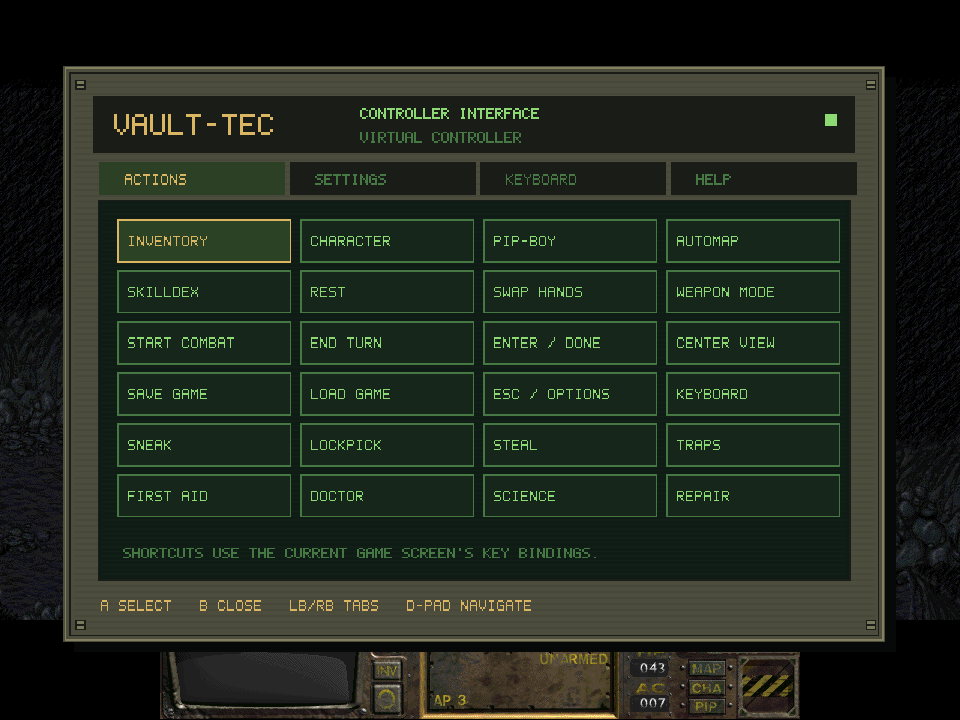
The controller panel’s Actions page, drawn over the game by the modified engine.
Movement had to remain Fallout movement
The left stick was the central problem.
Sending a mouse click somewhere ahead of the player would technically move the character, but it would still be point-and-click wearing a controller costume. Direct movement needed to respect the game’s hex grid, collision, animations, walking and running, and combat action points.
The finished system lets the player push the left stick toward a direction and move through the original hexes. A partial push walks; a full push runs. Releasing the stick stops after the current hex step. Walls and occupied spaces still block travel, and combat still charges the expected action points.
The movement marker stays out of the way during direct control. Click L3 and the original point-and-click cursor returns for anyone who wants it. Menus use cursor behavior automatically, then hand control back to the chosen gameplay mode when they close.
That ability to switch matters. Fallout was not designed as a twin-stick action game, and forcing every interaction into direct movement would discard part of what makes it Fallout.
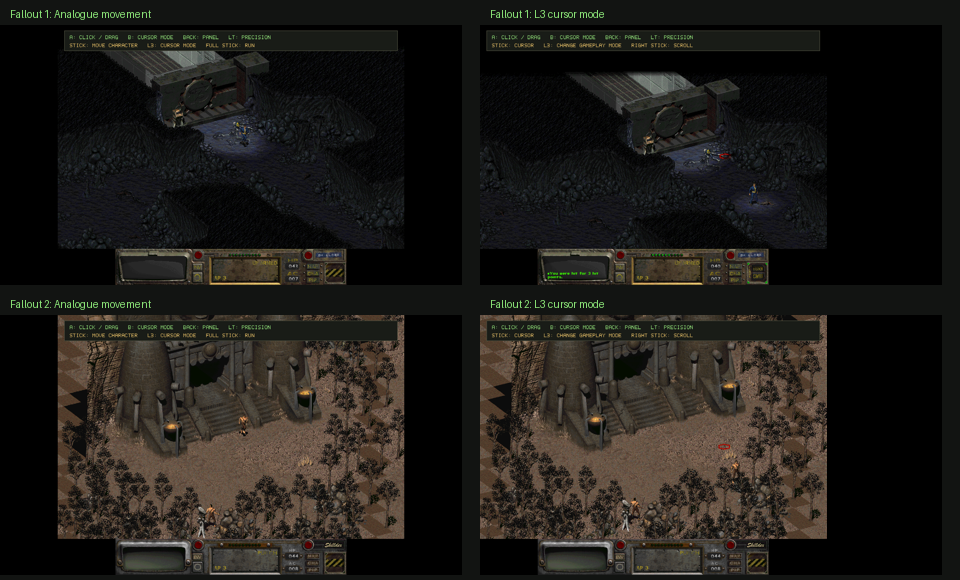
Both engines support direct movement and the optional L3 cursor mode.
The right stick became its own problem
Once direct movement worked, camera control needed attention. The right stick now moves the view smoothly during gameplay and scrolls lists under the cursor in menus.
The camera can move while the character is walking, and it takes priority over automatic follow while the stick is held. When released, it eases to a stop. Character follow returns after a short delay if movement continues, while a stationary player can keep the inspected view where they left it.
That behavior sounds small on paper. During play, it separates deliberate camera control from a view that keeps pulling against the player.
A shortcut menu was not enough
The games need more inputs than a controller has buttons. They also ask the player to enter names, quantities, numbers, and other text. A flat list of bindings could not cover the whole game.
The answer became a four-page controller panel:
- Actions provides inventory, character, Pip-Boy, automap, skills, rest, combat, save, load, and other shortcuts.
- Settings covers sensitivity, deadzone, scrolling, stick swapping, prompts, controller selection, display mode, and button remapping.
- Keyboard handles names, descriptions, dialogue numbers, quantities, and yes/no responses.
- Help keeps the control and compatibility reference inside the game.
The panel needed to look as though it belonged there. It uses an olive metal frame, a recessed green screen, amber highlights, scanlines, screws, and lettering that fits beside the existing Fallout interface. It is drawn by the engine, scales with the game window, and does not require new proprietary game art.
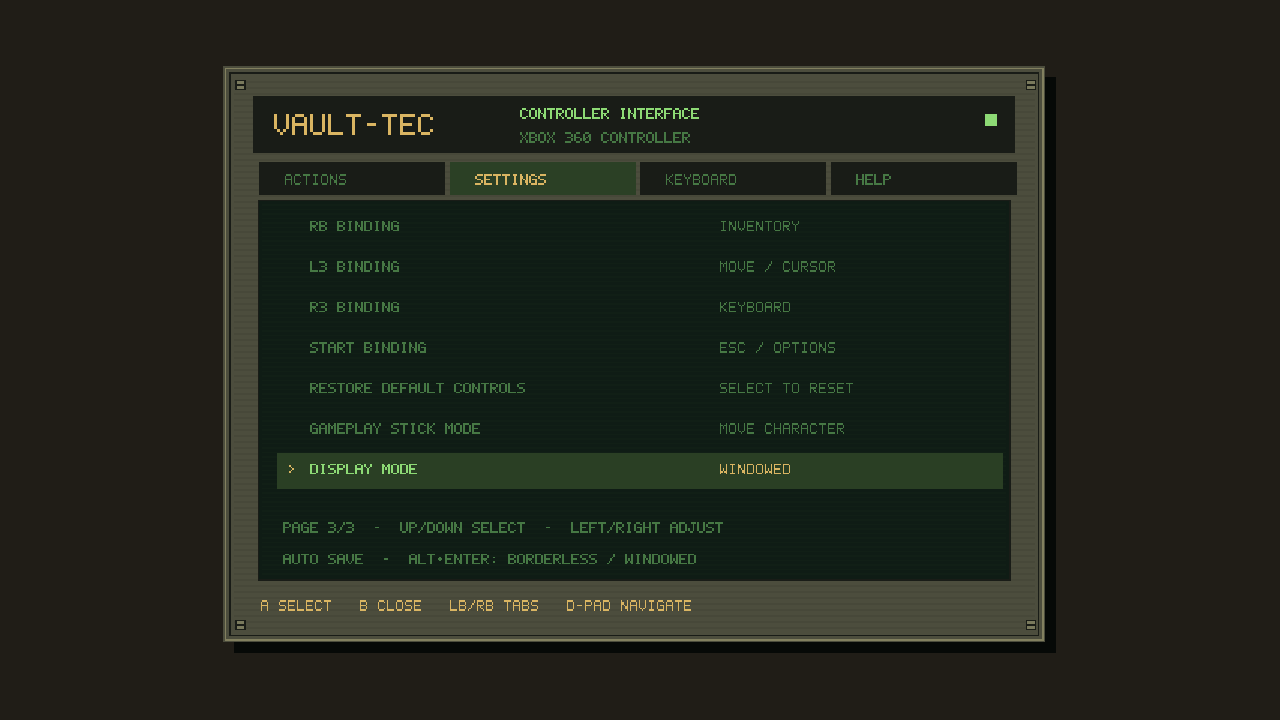
The Settings page also manages gameplay stick mode and borderless display behavior.
Supporting more than the controller on my desk
The engines now use SDL 2.32.10 and load the community SDL controller-mapping database. That gives them coverage for many Xbox, PlayStation, Nintendo, Steam, 8BitDo, and generic controllers over USB or Bluetooth when the operating system and SDL recognize the device.
Button labels adapt to Xbox, PlayStation, Nintendo, or physical-position layouts. Controllers can be connected during play, and losing focus or disconnecting a device releases held input so the character does not continue walking or dragging an item.
No software can promise support for every controller ever made. Unmapped devices may still need an SDL entry, and Steam Input can create duplicate actions if it is also translating the controller into mouse and keyboard input. The important part was building on a wide compatibility layer and being honest about its limits.
Testing inputs that usually require hands
Controller work has a testing problem: much of it depends on timing, held buttons, analogue ranges, and hardware appearing or disappearing mid-action.
The automated suite uses an SDL virtual controller to test deadzones, precision motion, dragging, shortcuts, held keys, focus changes, panel capture, text ordering, saved settings, rendering, scrolling, and unplugging during a drag. It also renders every panel page at 640x480 and 1280x720.
Isolated live-game tests drive the real executables through movement, camera control, menus, inventory, display changes, and combat. Across the two games, the controller system passed 102 automated checks alongside those in-game runs.
Testing also found a separate Fallout 1 crash during an enemy turn. The cause was an optional target pointer being read before it had a valid value. Fixing it was outside the original controller request, but leaving a known crash in the build was not acceptable.
Packaging the result responsibly
Version 1.0.0 provides separate Windows x64 downloads for Fallout 1 and Fallout 2. Each release package comes with a beginner-friendly guide covering Steam and GOG installations, common setup questions, SmartScreen, controller detection, and Steam Input conflicts.
The downloadable Windows packages contain the modified engine, controller mappings, documentation, configuration examples, licenses, and SHA-256 checksums.
They contain none of the original Fallout assets. No game data, music, maps, art, saves, or retail executables. Players need to own Fallout or Fallout 2 and provide the corresponding files from a Steam or GOG installation.
That separation matters. The project adds a new way to control games people already own; it does not package the games themselves.
What I took from it
I began with a sentence: I want to play these games with a controller.
Working through that request exposed how much design is hidden inside an input method. Movement is not just a stick direction. It is collision, animation, speed, combat rules, camera behavior, menus, text entry, feedback, device changes, and recovery when any of those pieces stop cooperating.
AI helped me work at a level I could not have reached alone in the same amount of time. The useful part was not asking it to map a few buttons and accepting the result. It was being able to test each build, describe what was wrong, and continue until the controls matched the experience I wanted.
The result is not Fallout redesigned as a console game. It is Fallout with another input method—one that tries to respect the systems already there.
The project is an unofficial community modification and is not affiliated with or endorsed by Bethesda, Interplay, or the upstream Community Edition maintainer.