// Games project
Fallout 1 & 2 Controller Editions
Native controller support for the Fallout Community Edition engines, with direct movement, camera control, remapping, and an interface designed to belong in the wasteland.
Classic Fallout, rebuilt for a controller
Fallout and Fallout 2 were built around a mouse and keyboard. I wanted to play them comfortably with a controller without reducing the experience to a few mouse inputs mapped through another application.
These Controller Editions modify the open-source Fallout Community Edition and Fallout 2 Community Edition engines. Controller input is handled inside each game through SDL, where it can work with the original movement, combat, inventory, dialogue, and interface systems.
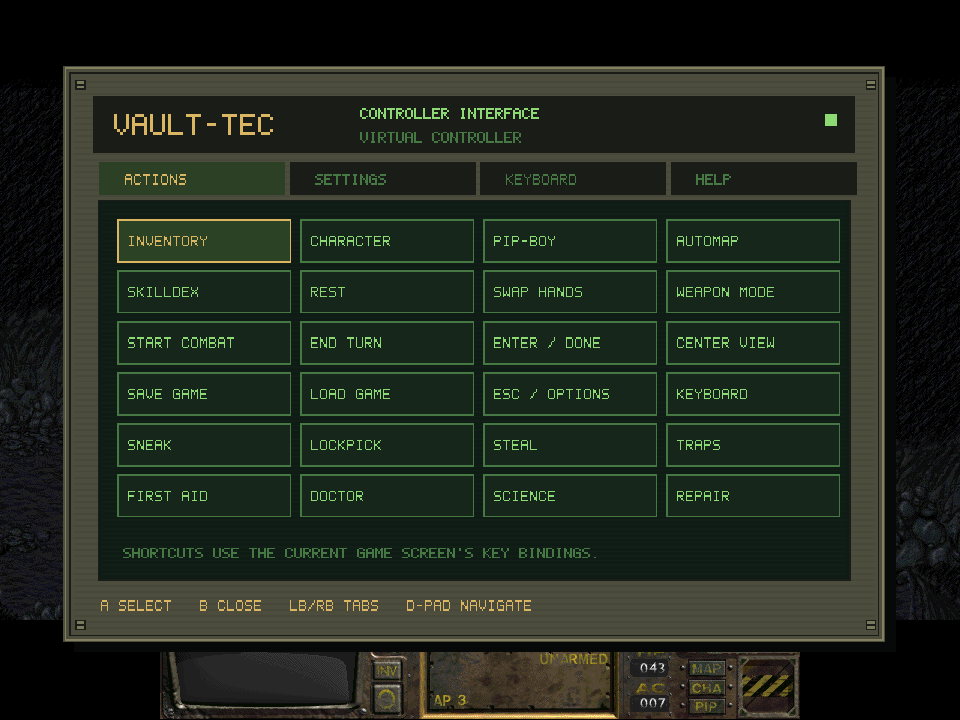
The Actions page keeps common game functions within reach without turning the controller into a keyboard chart.
What the controller layer adds
- Direct left-stick character movement with walk and run pressure
- Point-and-click cursor mode available at any time with L3
- Smooth right-stick camera movement and gradual character follow
- Native collision and normal action-point use during combat
- A Fallout-style panel for actions, settings, help, and text entry
- Remappable buttons, sensitivity controls, deadzone adjustment, and label styles
- An on-screen keyboard for names, quantities, dialogue numbers, and other text fields
- Borderless fullscreen with aspect-ratio preservation
- Hot-plug support and safe input release when focus or a controller is lost
- Mappings for many Xbox, PlayStation, Nintendo, Steam, 8BitDo, and generic controllers
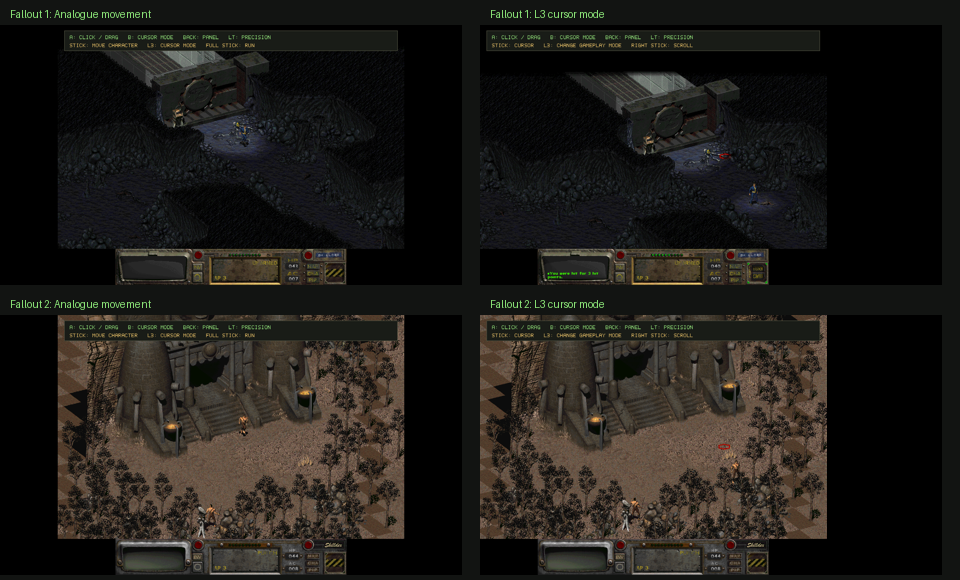
Direct movement on the left; the original destination cursor restored with L3 on the right.
An interface made for Fallout
The controller panel is drawn by the engine over the running game. Its olive metal frame, recessed green display, amber selection, scanlines, and hardware details were designed to sit beside Fallout’s existing interface instead of resembling a modern settings window placed on top of it.
The panel includes quick access to inventory, character stats, the Pip-Boy, automap, skills, combat actions, saving, loading, and other shortcuts. A separate settings area handles bindings and movement preferences, while the on-screen keyboard covers the text input that a simple gamepad mapping cannot solve.
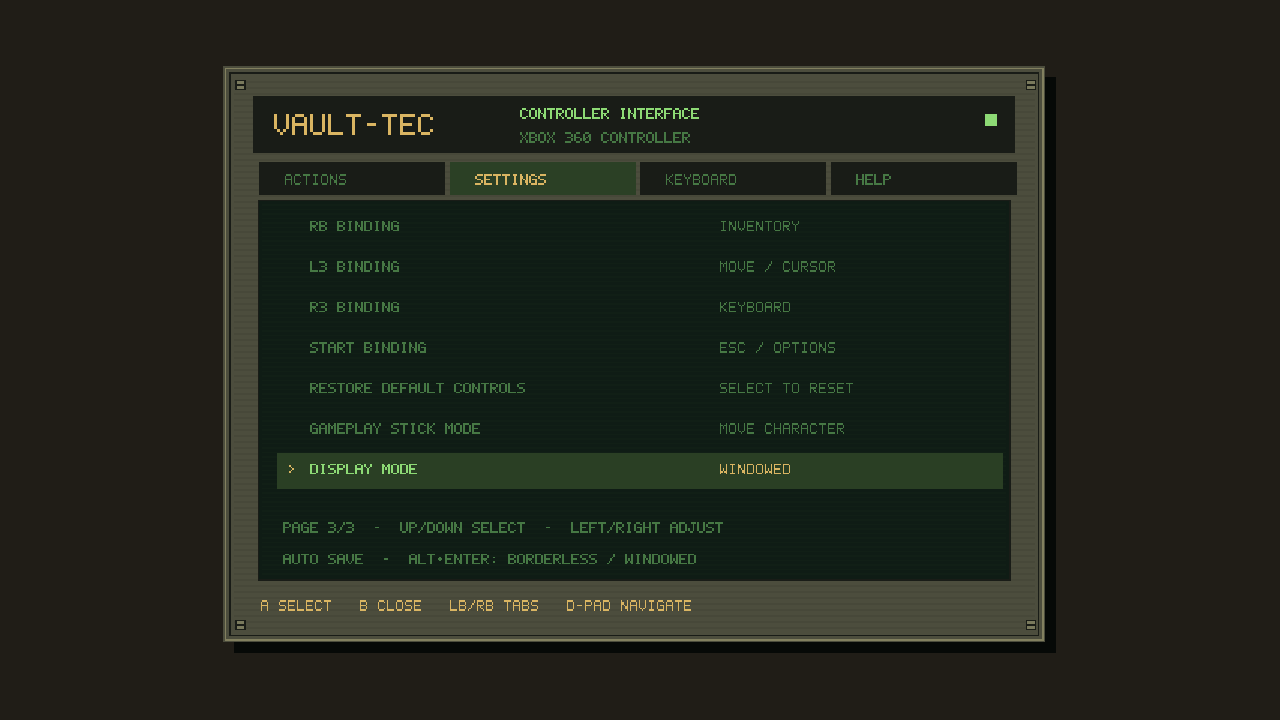
Bindings, stick mode, display mode, and other preferences save from inside the custom panel.
Built and tested across both games
The same controller behavior had to survive two related engines without changing the rules that make Fallout work. The test suite covers movement, deadzones, precision control, held inputs, panel navigation, shortcuts, settings, text ordering, scrolling, focus loss, controller removal, and rendering at multiple resolutions.
Automated tests run with an SDL virtual controller, followed by isolated live-game runs that exercise the real interface and movement systems. The work also uncovered and fixed a Fallout 1 enemy-turn crash caused by an uninitialized optional target pointer.
What the downloads contain
The version 1.0.0 release provides separate Windows x64 downloads for Fallout 1 and Fallout 2, SHA-256 checksums, and a beginner-friendly installation guide with Steam and GOG instructions.
The packages include the modified Community Edition executable, controller database, documentation, configuration example, licenses, and checksums. They do not contain Fallout game data, music, maps, art, saves, or original executables. Players must own the corresponding game and supply its data files.
This is an unofficial community modification and is not affiliated with or endorsed by Bethesda, Interplay, or the upstream Community Edition maintainer.